A PDF that works on desktop can become exhausting on a phone.
The page is too wide. The controls are small. Search is hidden. The file opens in another app. The visitor pinches, scrolls, rotates the phone, then gives up. The content may be good, but the reading path is too much work.
Mobile readers need orientation
Manuals, brochures, and guides are often structured documents. They have sections, page numbers, diagrams, and repeated reference points. Mobile readers need a way to understand that structure without endless scrolling.
Thumbnails, bookmarks, search, and page jumping give the reader a map. That map matters even more on small screens where only a portion of the page is visible at once.
- Open the PDF on a real phone, not only in a desktop emulator.
- Search for a phrase that appears halfway through the document.
- Jump to a later page, zoom into a diagram, then return to normal reading.
- Try the download button and confirm the fallback is clear if downloads are restricted.
- Check whether the surrounding page still offers the next step after the reader.
Design the page around the PDF
Do not squeeze an important PDF into a tiny content column. Give the viewer enough height, keep surrounding copy useful, and make the document title clear before the viewer appears.
If the PDF supports a purchase or signup, place the next step near the viewer. A product manual might sit near a support CTA. A lead magnet preview might sit near a signup form. A proposal might sit near a contact button.
Test with impatient hands
Open the document on a real phone and use it as a visitor would. Search for a phrase. Jump to a later page. Zoom into a diagram. Close the viewer or continue reading the surrounding page. Small annoyances show up quickly.
A viewer should reduce effort
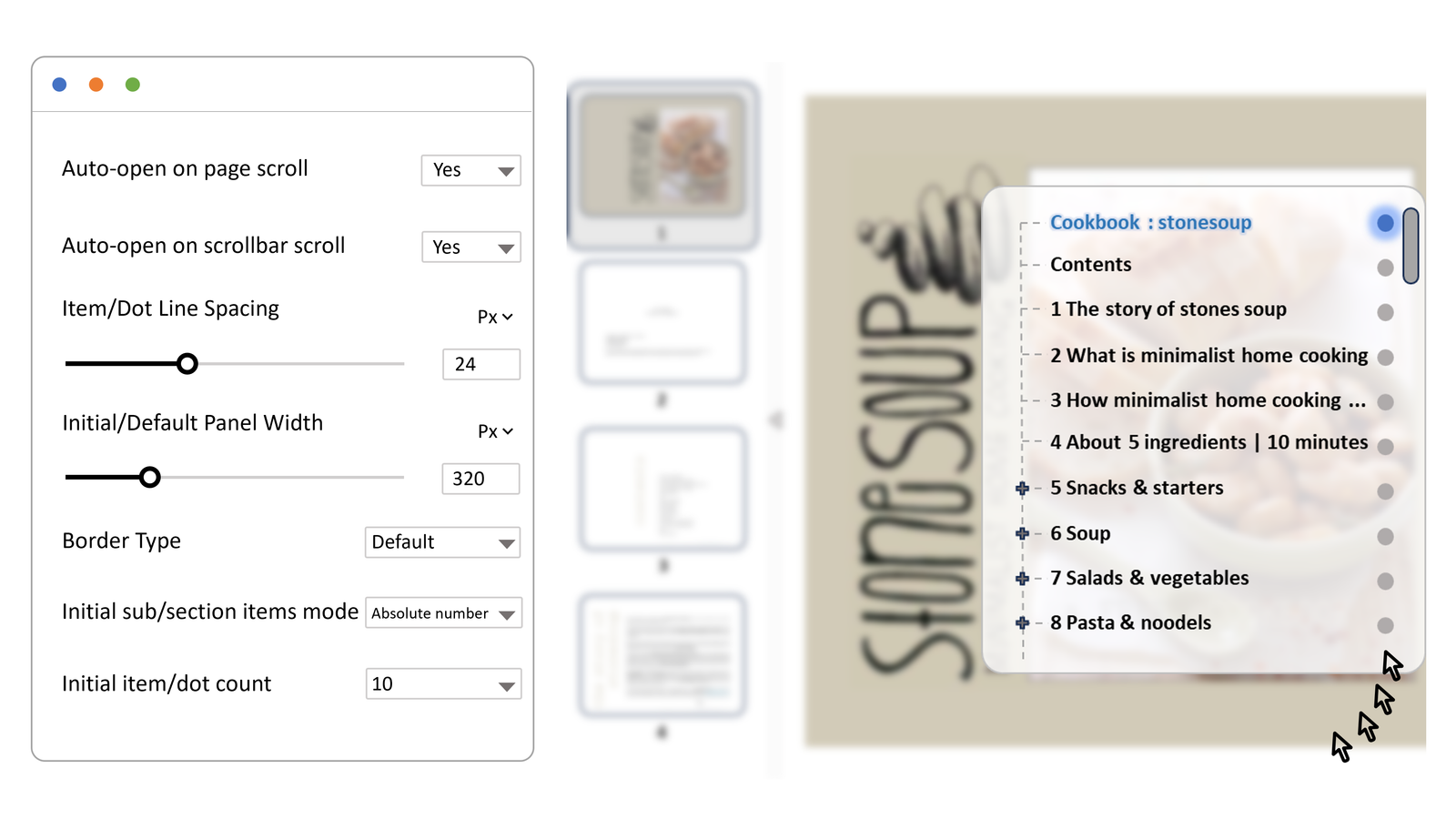
PDF Viewer Nova gives WordPress sites a more intentional on-page reader for manuals, brochures, guides, proposals, and gated resources. The useful part is not only that the PDF appears. It is that readers can search, navigate, zoom, and keep their place.
For a working example, the Stone Soup Recipes demo shows how a PDF can stay readable inside the page instead of becoming a separate file chore.