
A WooCommerce product page can have strong copy, fair pricing, and a clean layout, then lose the sale because the customer cannot see enough.
That is easy to underestimate. Product images often carry the last quiet objection before checkout. Is the texture right? Does the material look cheap? Can I inspect the edge, stitching, ports, brushwork, grain, label, or finish?
When images answer those questions clearly, the page feels more trustworthy. When they do not, the customer has to guess.
Conversion starts with confidence
A product image is not only a visual asset. It is proof. It helps the buyer decide whether the product matches the promise in the headline and description.
For simple products, one clean image may be enough. For detail-heavy products, the gallery has to work harder. Jewelry, artwork, cameras, apparel, furniture, collectible goods, handmade objects, and premium accessories all need closer inspection.
| Image improvement | Conversion value |
|---|---|
| Sharper detail images | Reduce uncertainty about quality, finish, and materials. |
| More useful angles | Help shoppers understand shape, size, and practical use. |
| Click-to-zoom viewing | Let customers inspect details without leaving the buying flow. |
| Consistent gallery order | Make comparison easier across similar products. |
| Image engagement analytics | Show which visuals are doing real sales work. |
Zoom helps when detail changes the decision
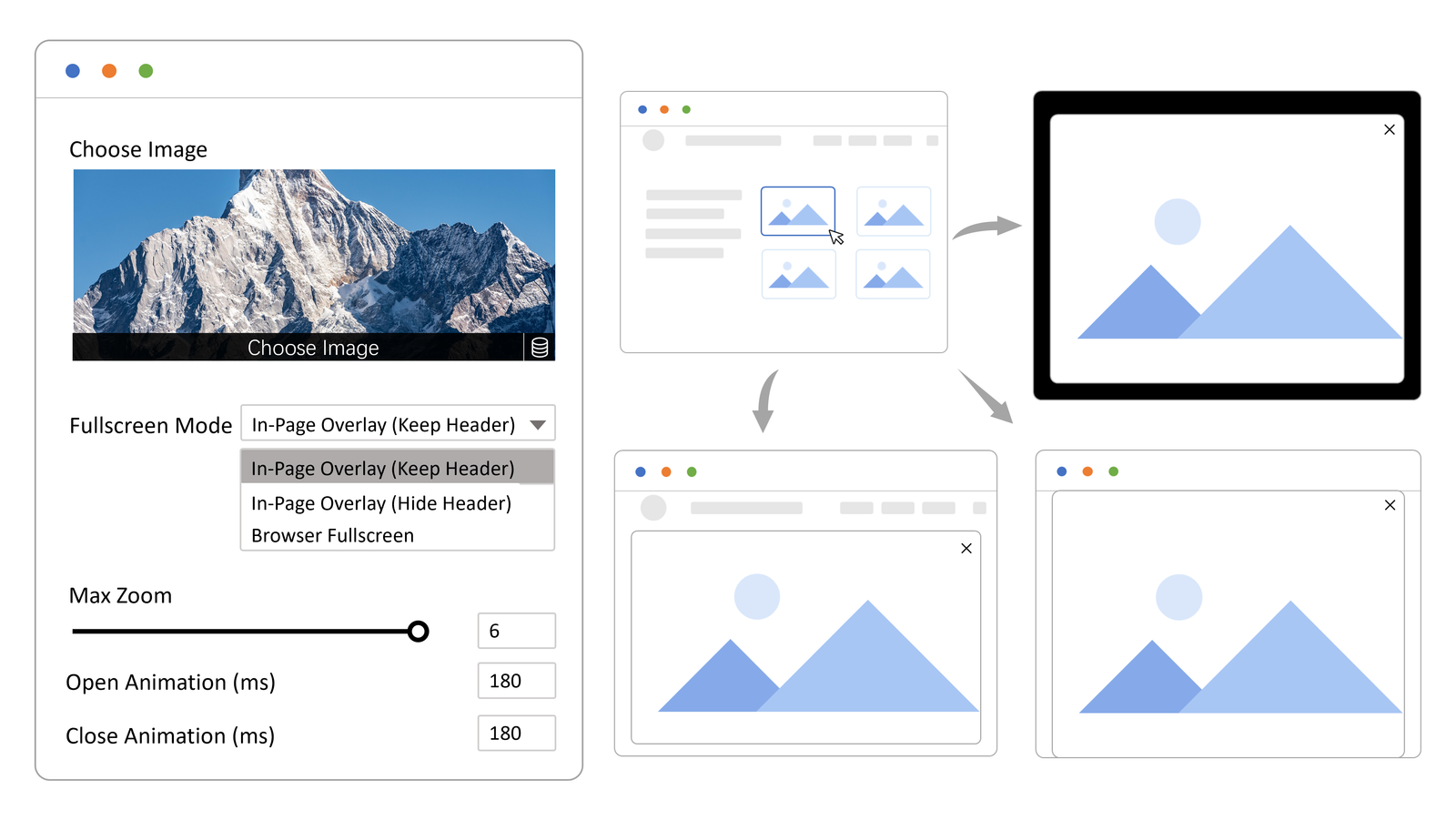
Hover zoom can help on desktop, but it often feels awkward on touch devices. A click-to-open viewer gives customers a clearer way to inspect the full image, move around, and return to the product page without losing context.
This matters because the customer is rarely looking for entertainment. They are trying to remove doubt. A smooth viewer can make the product feel more transparent and easier to trust.
Analytics can reveal hidden buyer interest
Image engagement data can show which product images visitors open, inspect, and spend time with. That kind of behavior is useful because it points to visual questions customers actually care about.
If the close-up texture photo gets heavy attention, move it earlier. If a lifestyle image is ignored, replace it or use the space for something more practical. Small gallery decisions can become easier when they are based on behavior instead of guesswork.
A practical first test
Try Image Click and Zoom on the product where detail already matters most. The viewer gives shoppers fullscreen zoom, pan, minimap feedback, right-click deterrence with signed proxy delivery, WooCommerce support, and image insight without changing the whole store at once.
Then compare behavior before and after the change. If visitors open the same close-up more often, move that visual earlier and repeat the lesson on similar products. The Image Click and Zoom demos are useful when you want to see the inspection flow first.