
Make your images easier to explore

Image Click and Zoom
Classic click-to-zoom with pro-level controls, viewing analytics, and WooCommerce integration.
Turn static images into interactive viewing moments with smooth zoom, precise controls, and full-detail inspection. Built-in analytics and WooCommerce integration help you learn what draws attention and optimize pages for stronger conversions.
Best fit for
View Demo
See how it feels in a real page.
Pick a preview on the left and the main display will switch to the selected demo, so each feature feels closer to a real website moment.
Feature Walkthrough
Take a closer look at the viewer and core controls.
Explore key features step by step, from interaction settings and zoom behavior to analytics insight and WooCommerce-ready flows.
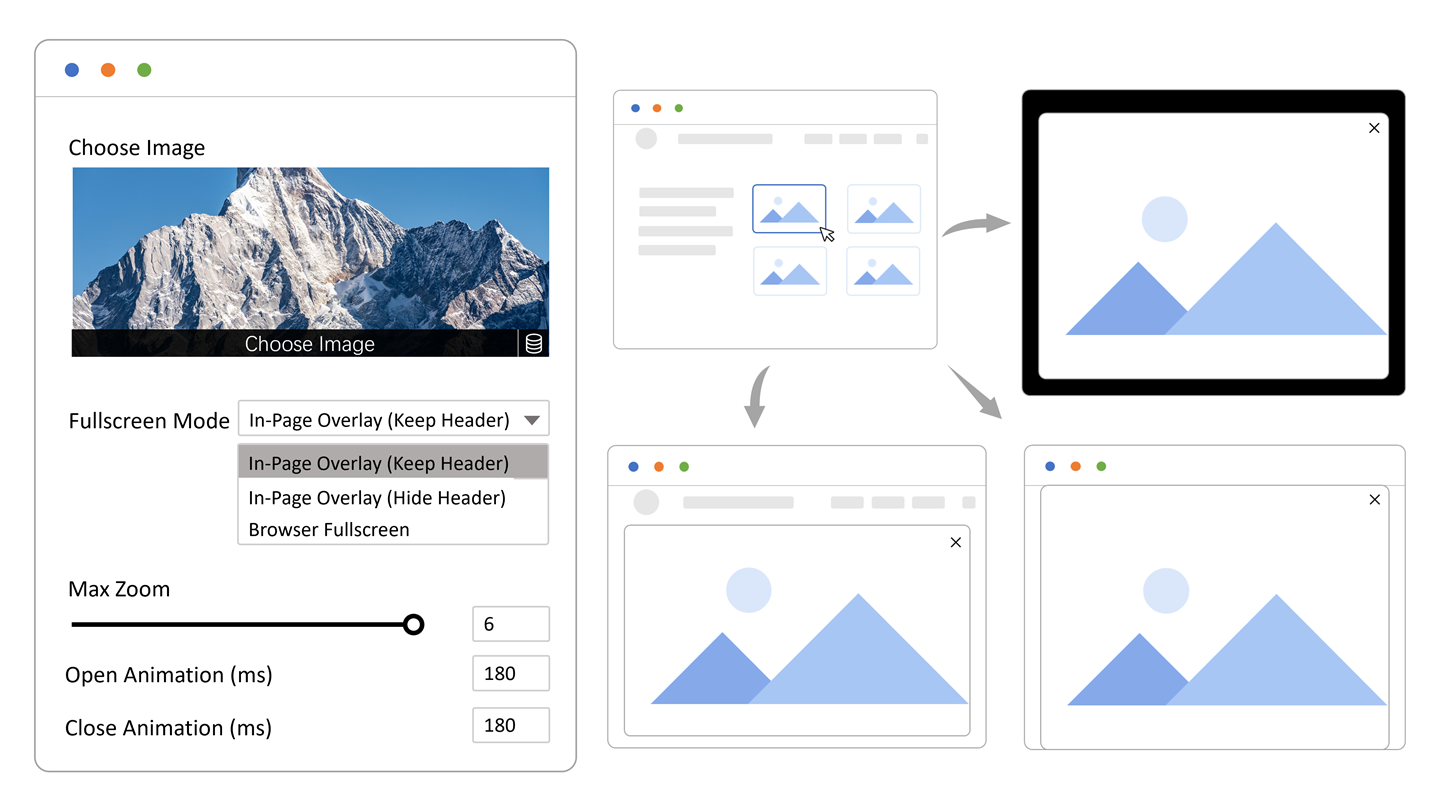 Frame 01
Classic Viewer
Let people click an image and inspect every detail in fullscreen.
Give visitors the familiar image experience they expect: click to open, zoom in smoothly, move around naturally, and inspect details without friction.
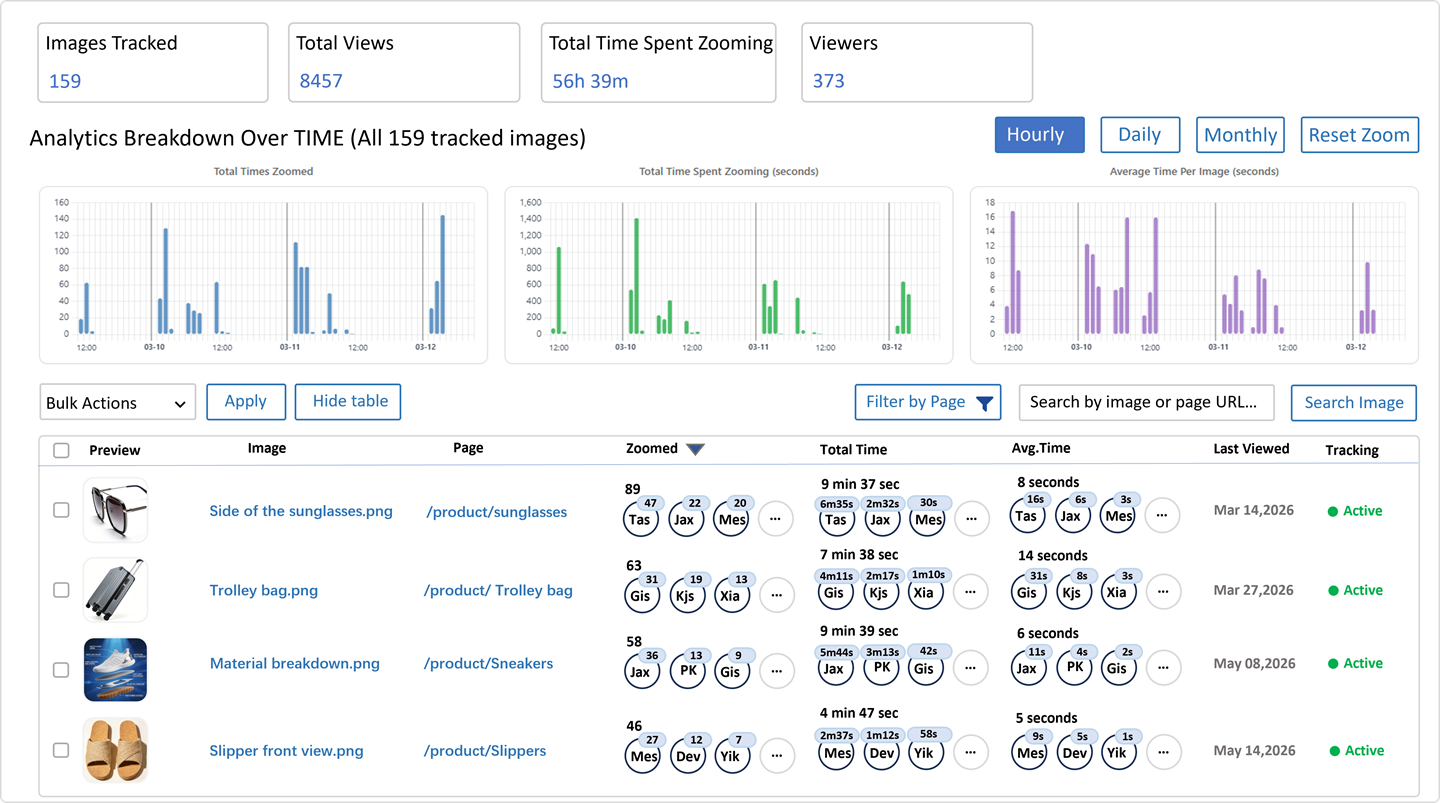 Frame 02
Image Insight
See which images attract attention and which pages keep people engaged.
Track opens, viewing time, and other image insight signals so you can learn which visuals work best and where stronger imagery can improve results.
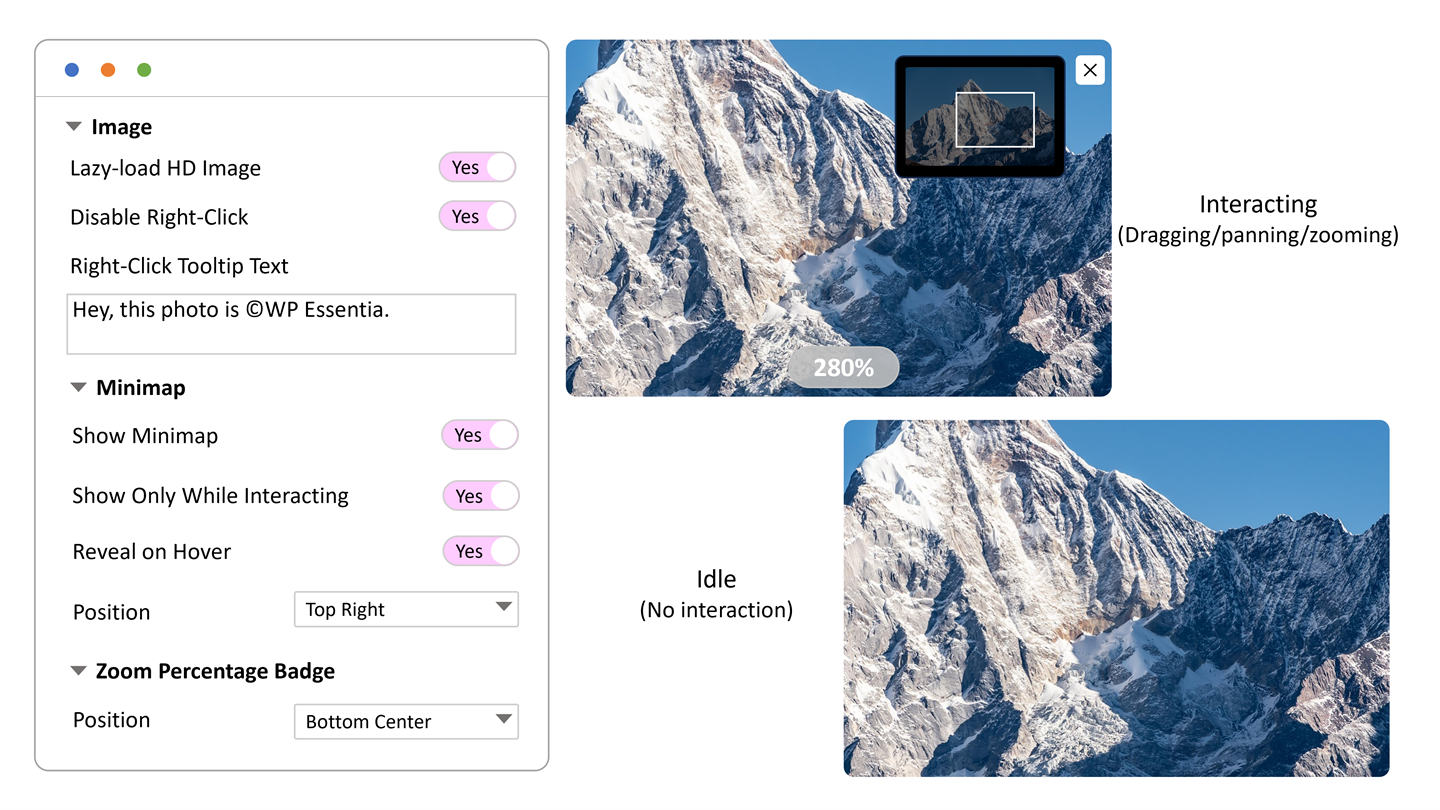 Frame 03
Viewer Control
Fine-tune the zoom experience so inspecting images feels just right.
Control details like the minimap, zoom percentage badge, auto-hiding UI, and fullscreen mode so the viewer feels polished for every kind of image.
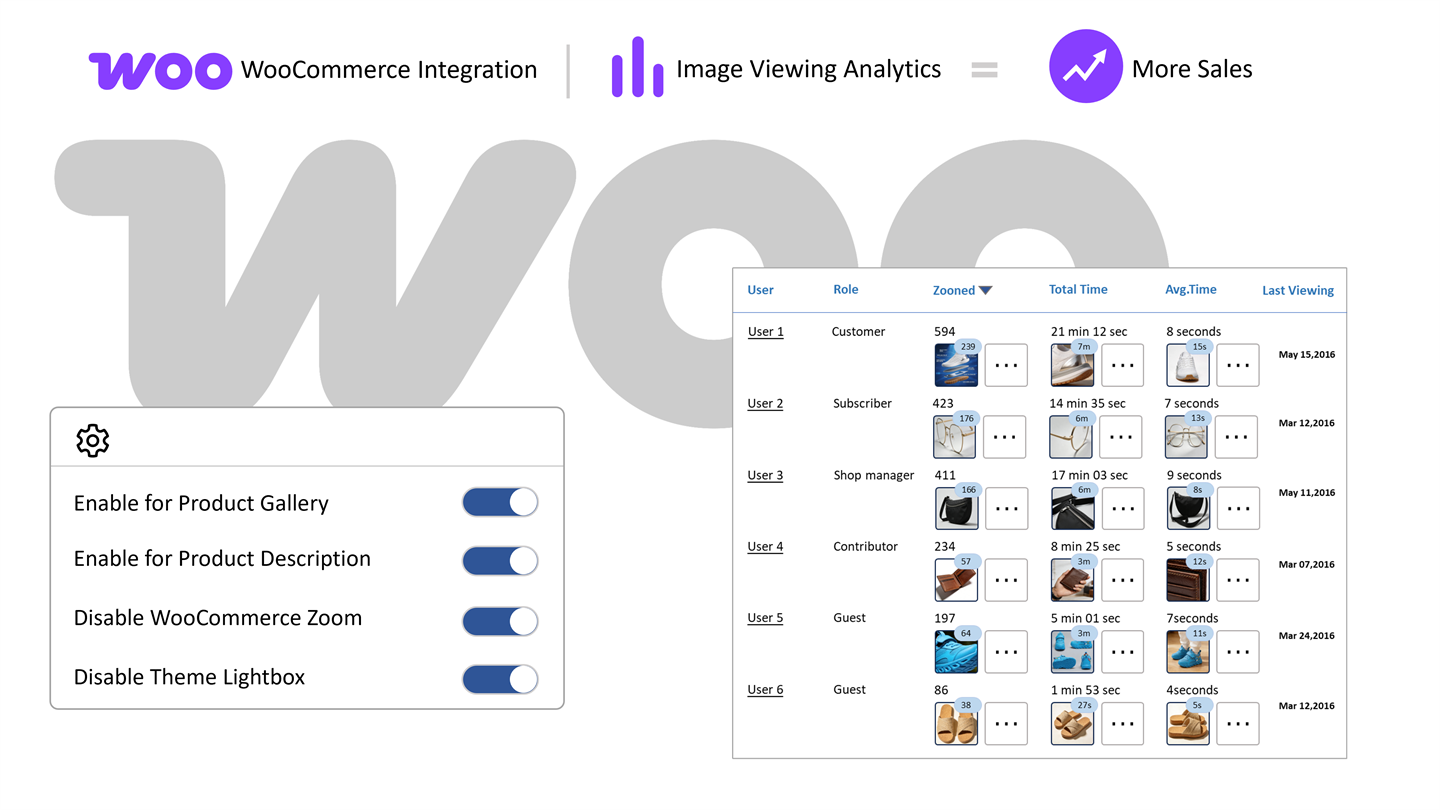 Frame 04
WooCommerce Growth
Enable WooCommerce integration quickly and turn product images into better sales tools.
Bring the viewer into your product gallery fast, then combine it with analytics to understand product interest and build pages that help boost sales.
Classic zoom, beautifully refined
for a better WordPress viewing experience
Give visitors the familiar click-to-open, fullscreen zoom, pan, and image-viewing flow they expect, polished so visual pages feel smoother and easier to explore.
Actionable image analytics
for content and sales decisions
Track opens and view time across images and pages, then optimize the visuals that drive the most engagement.
WooCommerce-ready growth
without rebuilding your store
Upgrade product galleries and descriptions with a richer viewer experience that helps reduce hesitation before checkout.
Main Benefits
What this plugin helps you do.
The focus here is on outcomes: better viewing, easier reading, stronger trust, and clearer support for growth.
Zoom Viewer
Let visitors open, zoom, and move around large images.
A simple click can turn an ordinary thumbnail into a closer, more confident viewing experience.
Image Protection
Add a practical barrier against casual copying.
Use optional protection settings when you want more control over how original visuals are shared on the page.
Engagement Insight
Find out which visuals keep people interested.
Review image activity over time so you can improve galleries, landing pages, and product photos with real evidence.
Related Content
Guide visitors to the next page or product.
Use viewer activity to surface related pages and keep people moving deeper into the site.
Email Follow-up
Support re-engagement with image-led campaigns.
Follow up with interested visitors based on what they explored, which can help bring warm traffic back.
WooCommerce Fit
Give product images a better showroom feel.
Add a richer zoom experience to product pages so shoppers can study texture, finish, and small details before buying.
Good to Know
A few helpful checks before you go live.
Compatibility
Works well with
- WordPress 6.0+
- PHP 7.4+
- Elementor required
- WooCommerce optional
Friendly Setup Notes
Small things worth knowing
- Elementor needs to be active because the core image viewer is an Elementor widget.
- WooCommerce features stay out of the way unless you enable them for product galleries or product-description images.
- Right-click deterrence and signed image delivery help reduce casual copying, but visible web images can still be captured.
- Zoom Analytics, Zoomendation, and Zoomail become more useful after the site has collected real viewer activity.
Questions
Frequently asked questions.
Does it need Elementor?
Yes. The main image viewer is built for Elementor, so Elementor must be active for the plugin to work.
Can it help sales pages?
Yes. When shoppers can inspect product details more clearly, they often feel more confident about taking the next step.
Is the image protection absolute?
No. It is a practical deterrent, not a perfect lock against screenshots or manual copying.
Can I use it without WooCommerce?
Yes. WooCommerce support is optional. You can use the viewer on image-led pages, portfolios, galleries, landing pages, and other Elementor layouts.
Does it work with WooCommerce product galleries?
Yes. You can enable WooCommerce support for product galleries, and optionally for product descriptions, so shoppers can inspect product images more closely.
What can the analytics show me?
The analytics are designed to show which images are opened and how long visitors spend viewing them, so you can learn which visuals attract attention.
Can I control how the zoom viewer looks?
Yes. You can tune the viewer experience with settings such as zoom behavior, fullscreen mode, minimap, zoom percentage display, background, and other controls.
What kind of images work best?
Clear, high-quality images with useful detail work best, especially product photos, artwork, lookbook images, and portfolio pieces that visitors may want to inspect.
Get Started
Launch a pro image viewer on the pages that matter most.
Start with smoother click-to-zoom and polished controls, then use analytics and WooCommerce support to turn image attention into action.