
A plugin can be useful in the dashboard and still be a bad idea for the page.
That sounds harsh, but it is a common WordPress problem. A feature looks helpful, the settings look impressive, the demo looks polished, and then the live page becomes heavier, busier, or harder to understand.
Choosing plugins for conversion requires a different filter. The question is not only what the plugin does. The question is what decision it helps the visitor make.
Start with the visitor decision
Every important page has a decision hiding inside it. Buy the product. Read the guide. Trust the brand. Contact the team. Download the resource. Explore the portfolio. Compare the options.
A plugin earns its place when it makes that decision easier. If it does not reduce doubt, improve understanding, increase trust, or make the next step clearer, it may be decoration in feature form.
Look for visitor value, not admin novelty
Plugin shopping can pull attention toward admin features: panels, toggles, integrations, layouts, and options. Those things matter, but the visitor never sees most of them.
A better evaluation starts on the frontend. Does the feature help visitors inspect something, read something, understand something, compare something, or remember something? That is where conversion value usually begins.
| Plugin promise | Conversion-focused question |
|---|---|
| Adds a viewer | Does it help visitors inspect or read important content more easily? |
| Adds analytics | Does it reveal behavior you can use to improve the page? |
| Adds animation | Does it support the message or only add movement? |
| Adds access control or deterrence | Does it create reasonable control without frustrating honest visitors? |
| Adds design options | Does it make the page clearer or only more customizable? |
Test the page after the feature settles
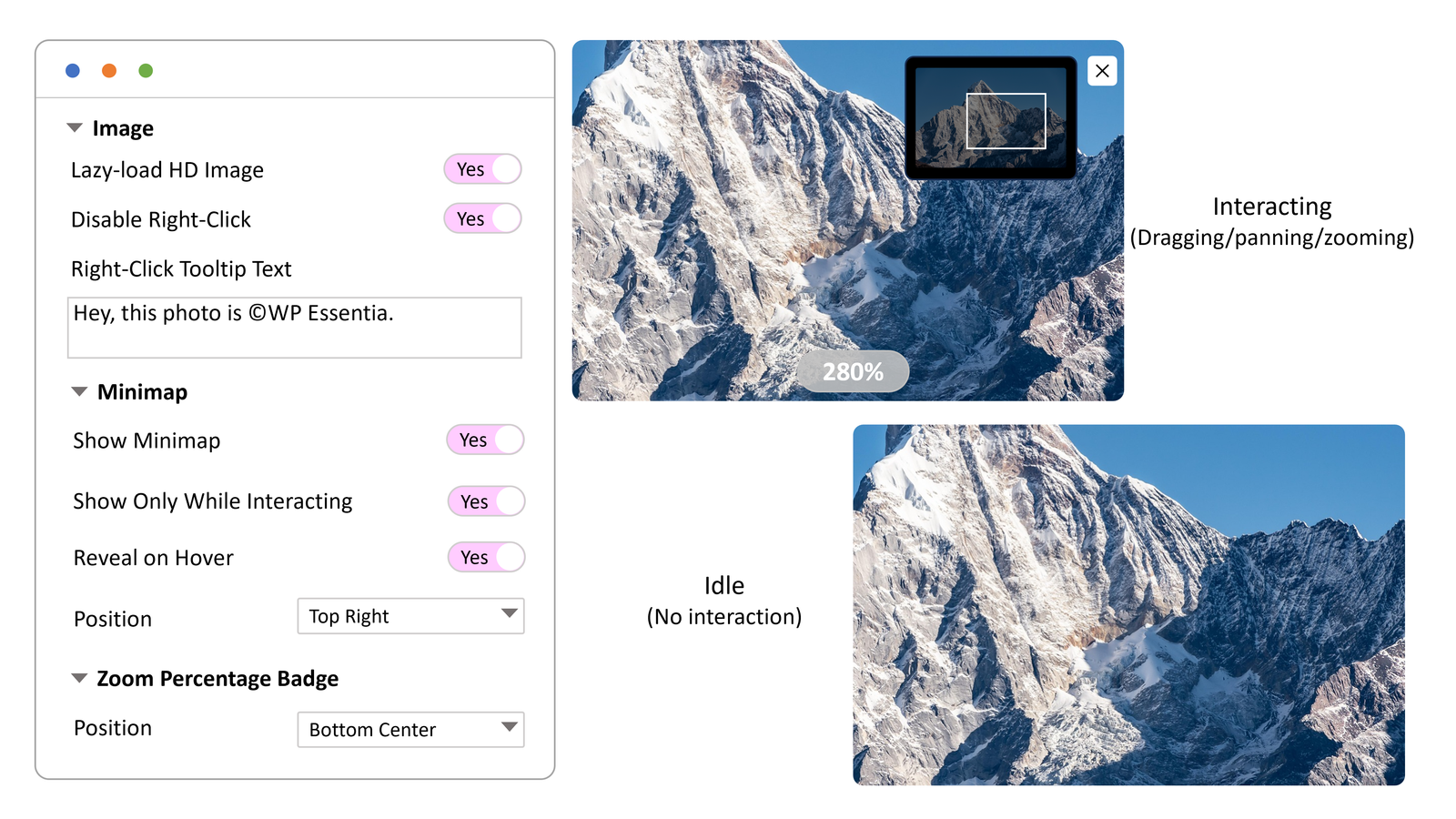
The first click is only part of the experience. A visitor opens a viewer, zooms, pauses, closes it, scrolls, returns, switches devices, or reads without interacting for a while. The plugin should behave well through all of that.
This is especially true for media plugins. Controls that stay visible forever can cover content. Documents without navigation can feel trapped. Motion that never calms down can make reading harder. Good plugin UX includes the quiet moments.
Measure the right kind of success
Conversion does not always mean an instant purchase. Sometimes the win is more product confidence, longer document engagement, deeper portfolio exploration, or stronger brand recall.
The more expensive, visual, technical, or trust-sensitive the offer is, the more these smaller signals matter. A visitor who opens multiple product images or spends time in a proposal PDF may be giving you useful intent data before they ever click a button.
Keep the stack focused
A focused plugin stack is easier to maintain, easier to explain to clients, and easier to improve over time. Before adding a plugin, decide whether it belongs to one of the core page jobs.
- Presentation: helping visitors see, inspect, read, or understand the offer.
- Trust: helping visitors feel safer, clearer, or more confident.
- Action: helping visitors take the next step without friction.
If a plugin does not support one of those jobs, it may still be nice to have. It just may not belong on an important conversion page.
Where wpessentia plugins fit
The wpessentia plugin family is built around visitor-facing media moments. Image Click and Zoom helps people inspect images and gives site owners image engagement insight. PDF Viewer Nova keeps document reading on the page with better controls. WP ASCIIfy helps create distinctive visual moments that make a page easier to remember.
If your site depends on images, documents, or memorable visuals, start with the product pages and compare the demos against your real page goals.
A plugin should earn its space
The best WordPress plugins do not make a page feel more complicated. They make an important moment feel easier, clearer, or more convincing.
That is the standard worth using before installing the next one.